

fentu FSM – Intelligent Field Service Management for SAP Business One
fentu FSM supports SMEs in planning service assignments in a structured manner, executing them cleanly, and billing them completely. All steps, from initial customer contact to completed work order, are consolidated in one system.
The result is fewer queries, clearer responsibilities, and a better overview of ongoing and completed assignments.
Why FSM for SAP Business One?
Companies with service or field staff face similar challenges: numerous inquiries, changing priorities, and a high degree of coordination required between internal and external staff.
The fentu FSM for SAP Business One creates a clear structure here:
![[Translate to English:] Zentrale Erfassung](/fileadmin/SAP/icon_lokal.svg "[Translate to English:] Icon zentrale Erfassung")


![[Translate to English:] Planbarkeit](/fileadmin/SAP/icon_planbarkeit.svg "[Translate to English:] Icon Planbarkeit")
How fentu FSM supports your service processes in SAP Business One
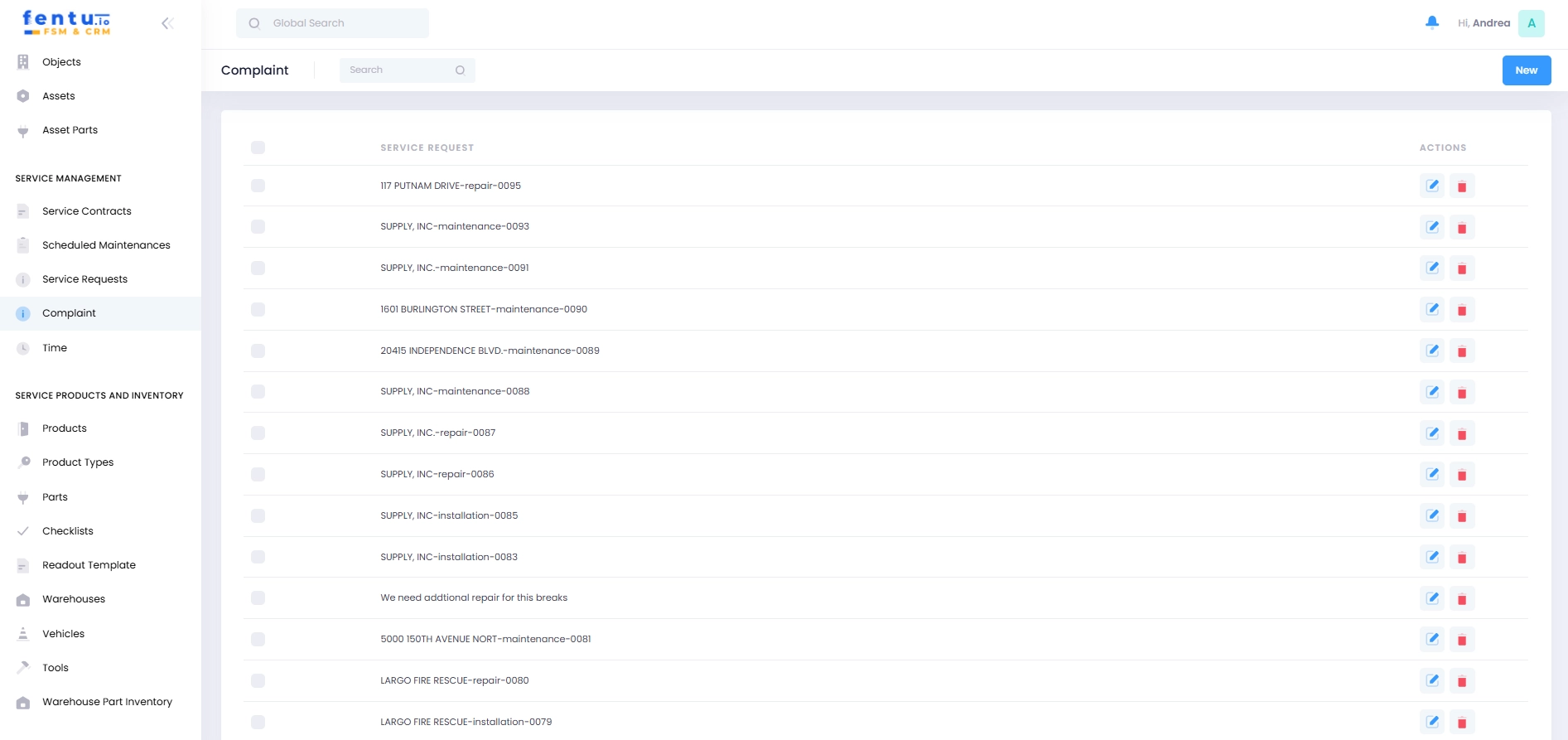
Service requests are collected centrally in the FSM for SAP Business One. Customers, office staff, and technicians all access the same database.
Requests can be submitted via:
The fentu FSM interface
A customer portal
QR codes on systems or devices
Email forwarding
The mobile app for technicians
All cases are clearly grouped together, prioritized, and traceable at any time.
A quote can be created directly from a service request. Prices, services, and terms are taken from SAP Business One.
This ensures that:
Quotes can be created more quickly
Prices remain consistent
Changes are documented in a traceable manner
A system change is not necessary.
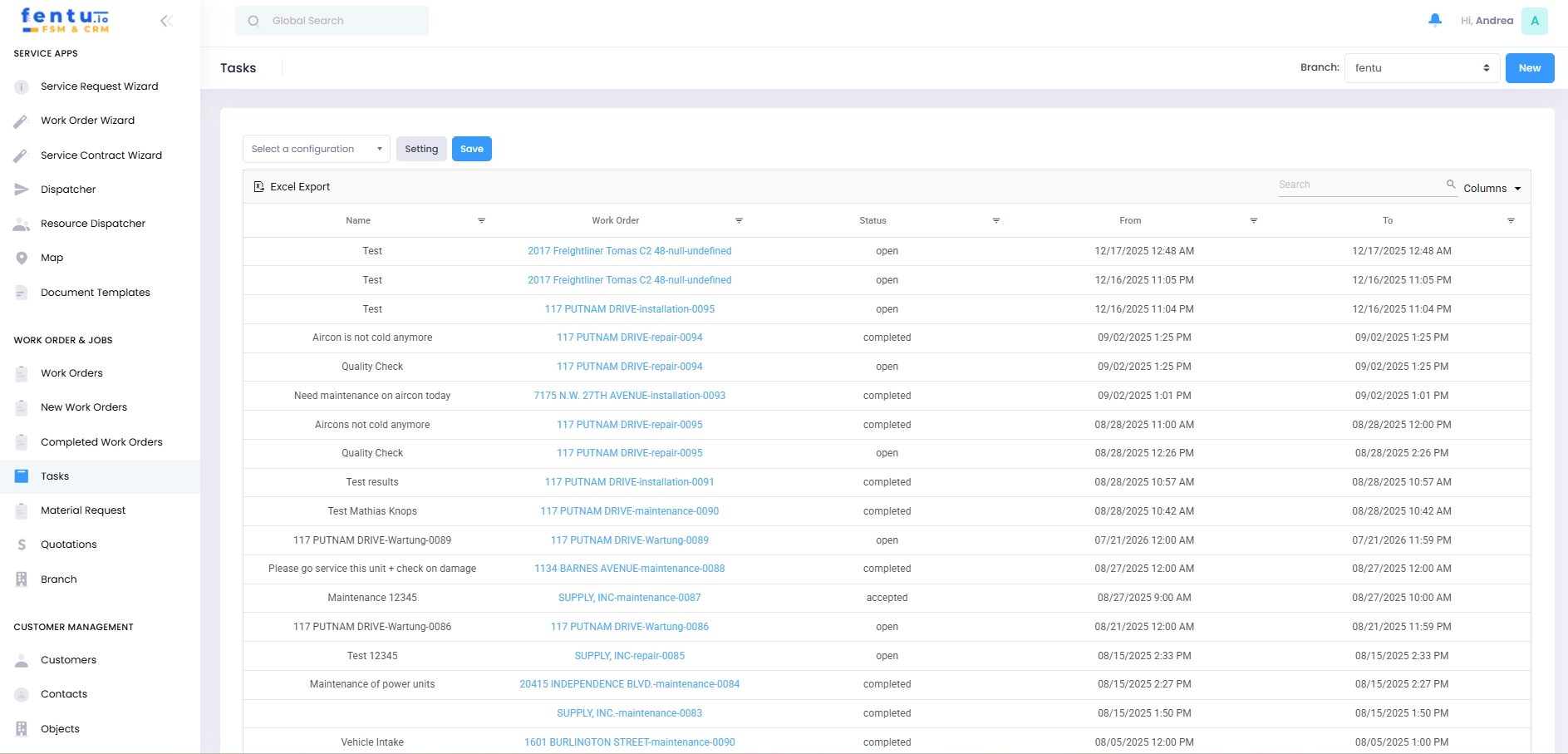
Work orders are created in FSM for SAP Business One from cases or quotes. The guided process ensures that all relevant information is included.
A work order includes, among other things:
Tasks and work steps
Planned times and priorities
Required materials
Assigned technicians
This way, everyone involved knows what to do and when.
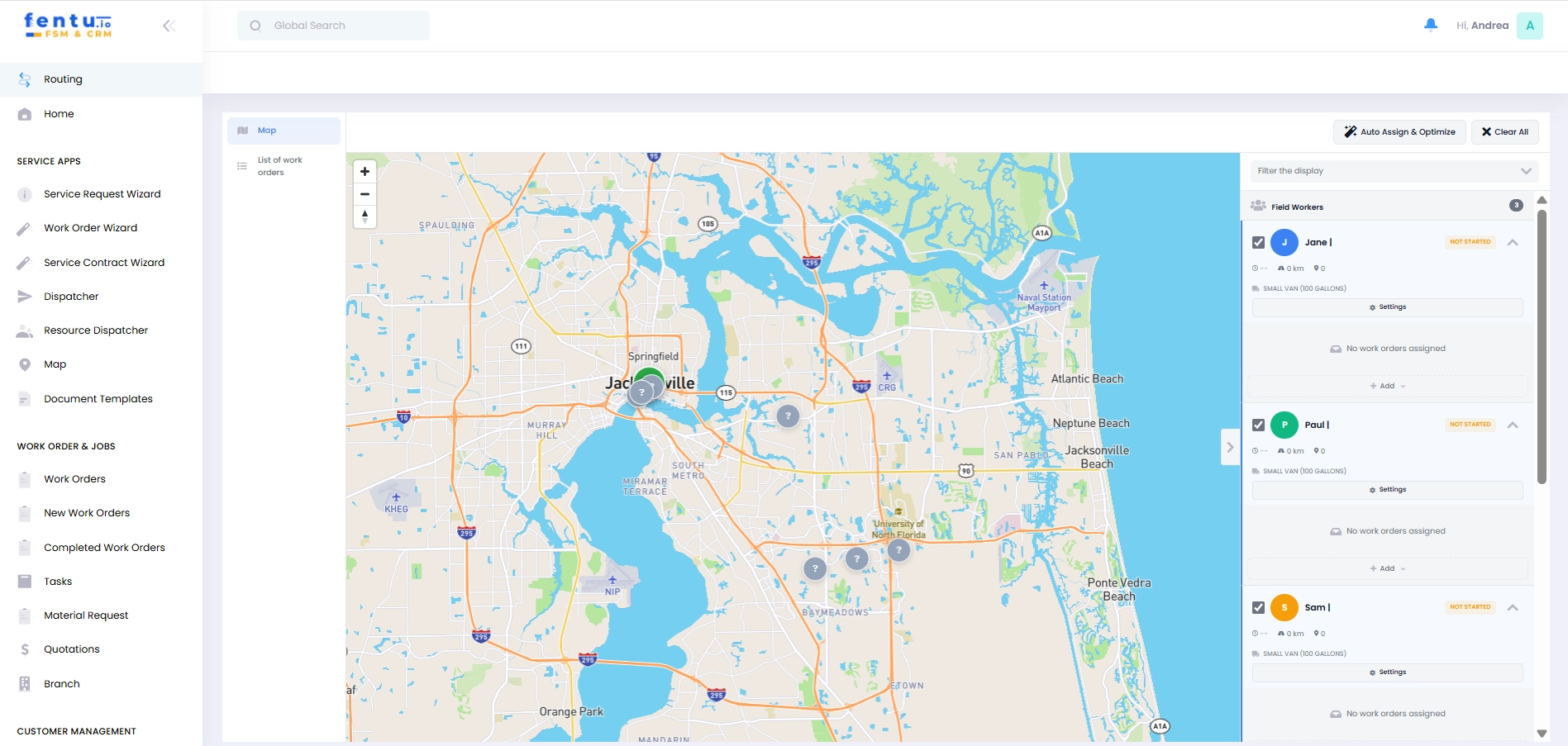
Several views are available for planning assignments:
Calendar view for scheduling
Map view for regional assignments
List view for structured processing
Availability and overlaps are immediately visible. Orders can also be adjusted at short notice.
Technicians work with the mobile fentu FSM app on tablets or smartphones. The app is available for Android and iOS and can also be used offline.
The following are available on site:
Work orders and tasks
Customer and asset data
Checklists and documents
Camera, signature, and notes
Once completed, the assignment is automatically documented and closed. Feedback is sent directly back to SAP Business One.
Times, material consumption, and status information are transferred from the FSM for SAP Business One to the ERP system. This eliminates the need for manual rework in the office.
Service calls can be clearly evaluated and billed.
Key functions in FSM for SAP Business One
- Case management for service requests
- Quotation and work order management
- Task and material management
- Scheduling and resource planning
- Mobile app for technicians
- Direct integration with SAP Business One
- Optional AI support for planning and evaluation

FSM with ERP integration
fentu FSM is designed to integrate seamlessly with SAP Business One. Service and administration work with consistent data, without duplicate maintenance.
This creates transparency regarding:
Ongoing service assignments
Materials used
Times and costs
Completed orders

benjamin.apfelstaedt@sigmagmbh.de