

Put an end to paperwork - pick like the big ones!

 Jens DemutPublication
Update
Does this sound familiar? Paper is piling up at your workstations in the warehouse. The phone is ringing constantly and your colleagues want a priority order delivered quickly. If so, we can reassure you – you are not alone.

In manufacturing companies, especially those in the SME sector, day-to-day business in the warehouse is characterized by a lot of paperwork and often relies solely on the many years of experience of the employees. It is not uncommon for classic picking and packing processes to still not be in place. Employees from order processing bring the delivery notes to the warehouse, where the items are then searched for and packed. And if the company works with batches or serial numbers, the data for the goods removed is simply added manually to the delivery notes.
Most companies now know that there is another way, but as the saying goes, “every beginning is difficult” and somehow it works. But woe betide if one of your “knowledge carriers” is absent and colleagues from other departments have to step in. Then one or two customers may have to wait a little longer for their goods.
The big players in online retail are showing us how it's done and most of us are only too happy to take advantage of the convenience this brings. Order today and receive tomorrow—it's crazy and great at the same time! And if it really works, then I'll order there again next time and not somewhere else. Companies like Amazon don't see themselves as logistics companies just because of the wages. Keeping logistics under control is so important.
Let's take a look at the basic methods of order picking:
Single-stage picking
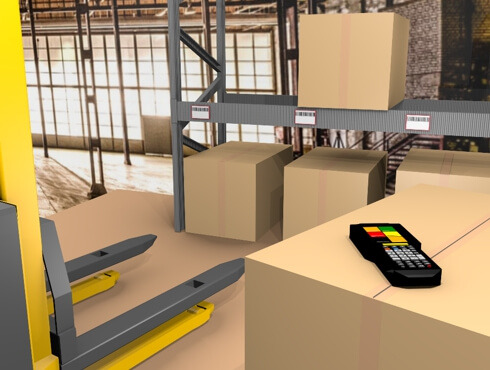
In this case, the goods for each order are retrieved individually from the warehouse and packed ready for shipment. This variant is not particularly efficient as it involves a lot of walking and, during busy periods, the shipping area quickly becomes congested because there is no regulated sequence. Of course, there are also industries and very large, bulky products that only allow this approach. Mobile handheld devices are very useful for single-stage picking (see figure on the right). If the process is mapped digitally throughout, in our case picking lists are created in SAP Business One. The warehouse employee sees these lists on their handheld device and works through them according to date/priority. They can also see notes from colleagues in order processing. Once the order has been picked, the delivery note can be printed via the device. If batch or serial number-managed items are included, the data is also printed on the delivery note. All information is now also available in SAP Business One. This means that order processing is fully informed, even without having to go to the warehouse. Please note: Once consistency has been achieved, please offer alternative opportunities for movement—such as a walk during lunch break—to compensate.
Two-stage picking
Here, goods from several customer orders are combined and retrieved from the warehouse in a route-optimized manner. The handheld devices listed above are used for this purpose. The collected goods are transported on pallets or packing trolleys to the specially designated packing area. There, other employees pick the individual customer orders. In addition to significantly shorter walking distances, one advantage of this option is that the stationary packing workstations allow employees to work with software that can also be operated on large monitors (ideally with touch screens). This allows them to visually identify the products to be packed per order much more quickly, further reducing processing time. In conjunction with simple USB or Bluetooth scanners, the items are scanned a second time during the packing process. This is used to manage how many items are in the box (or pallet, mesh box, etc.). On the other hand, this step also serves to check for accuracy and completeness. You don't want the contents and the delivery note to differ from each other!

Another advantage of digital packing workstations is the ability to connect to shipping companies. The well-known names in this field now offer portal solutions that can be connected via web services (exchange of XML files). So if you opt for a digital solution in the packing area, not only customer data but also all parcel information can be transmitted immediately to the shipping company. The resulting package labels can be printed and the packing process completed with the final printing of the delivery note. Thanks to the connection, your delivery note can now include the tracking ID in addition to batch and serial numbers. Among our customers, there are role models who ship 600 packages and more every day using this process.
Willingness? Decision-makers in these areas often assume that their employees are afraid of change or may not be able to manage it successfully. This may be true in isolated cases, but in times of digitalization, not only is willingness significantly higher— many employees often even want more support in the form of easy-to-use programs. Why not ask the “WhatsApp question”? You will be amazed at how widespread WhatsApp use is across all generations today. Based on the usage rate, you can get a good idea of your team's readiness for digitalization. P.S. I have heard of companies where employees send information/data to each other independently via WhatsApp because the company does not yet offer comparable options for fast communication. {Please do not imitate this without prior consultation with management.}
Our recommendation: Put your processes to the test. Take the time to take a closer look. Talk to your team. You will hear statements such as “we don't need anything else” or “we've always done it this way”, but in most departments there is one employee who would like to work more effectively. Take advantage of this motivation and start with a pilot project in one area. Also consider the special cases that can occur in day-to-day business and give the team time for a reasonable test phase.
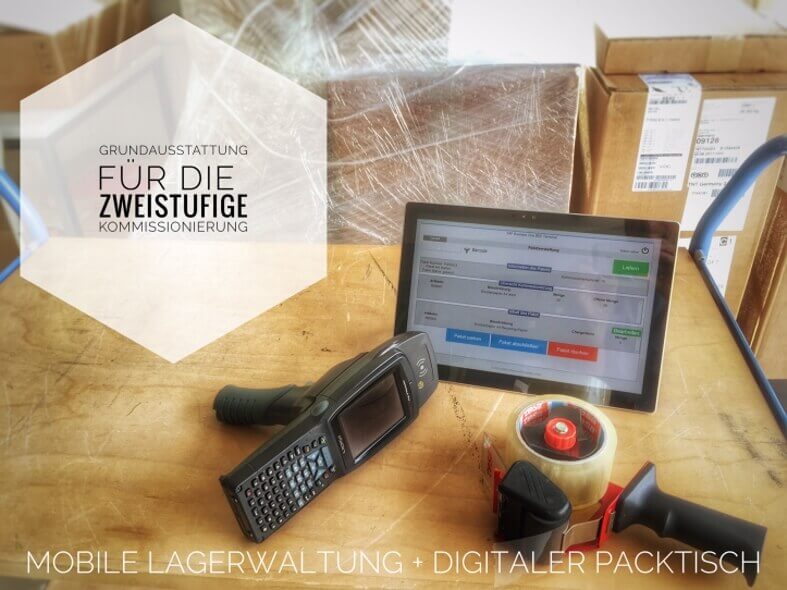
Are you curious and want to learn more about SIGMA's digital logistics solutions? No problem. Here and here you will find further information.

Jens Demut
Managing Director SIGMA Software und Consulting GmbH
Jens Demut, graduate in business informatics (Dipl.Wirt.Inf.), has 19 years of professional experience in the SAP Business One area. He joined SIGMA Software & Consulting in 2007 as an SAP Business One Consultant and later took on the role of Managing Director.
We will be happy to present solutions for your industry and your processes.
Talk to the specialists for SMEs.


